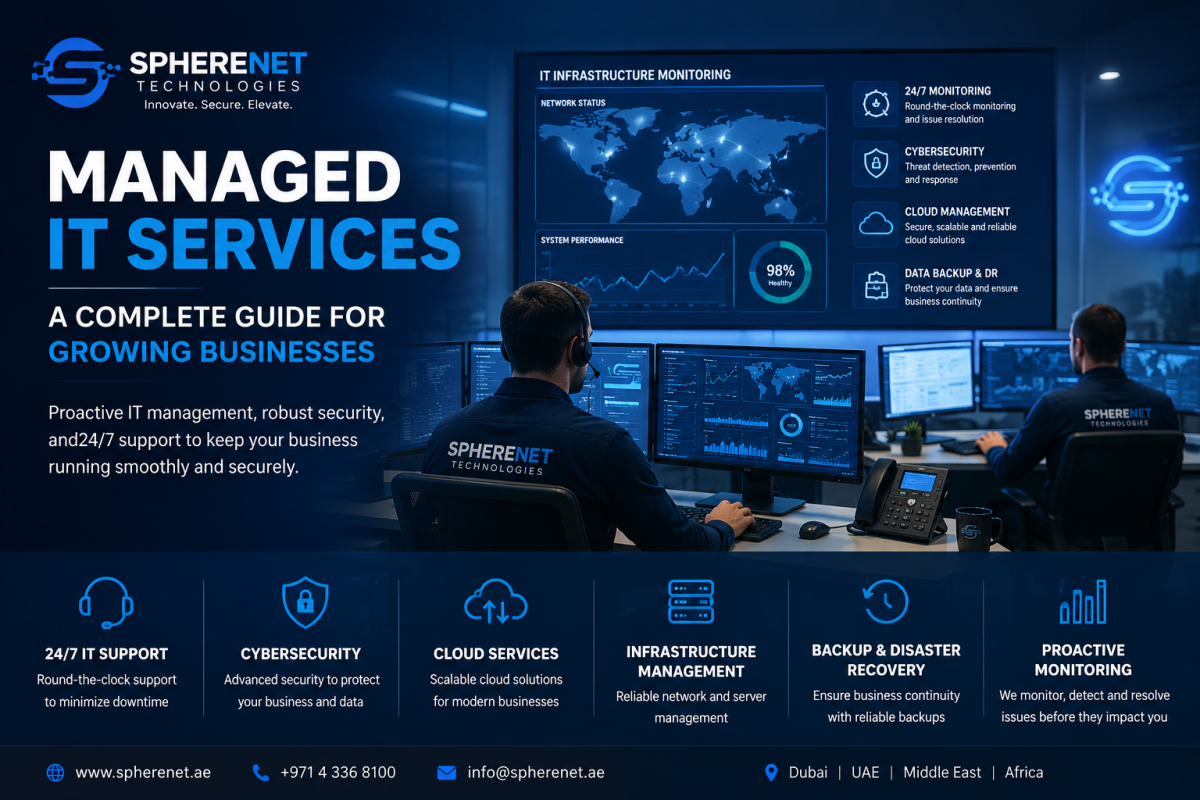
Managed IT Services: A Complete Guide for Growing Businesses

Introduction

In today’s digital-first business environment, IT services are no longer just a support function. They play a critical role in ensuring business continuity, cybersecurity, operational efficiency, and long-term growth. Organizations that effectively manage their IT infrastructure can reduce downtime, improve productivity, strengthen security, and maintain a competitive advantage.

Whether you are a small business, enterprise, or government organization, having a structured IT service management strategy is essential.

5 Easy Ways to Improve Your Business Cybersecurity

Introduction

Cybersecurity threats continue to evolve, targeting businesses of all sizes. From ransomware attacks and phishing emails to data breaches and insider threats, organizations face increasing risks every day.

The good news is that improving your security posture does not always require a massive investment. By implementing a few practical cybersecurity measures, businesses can significantly reduce their exposure to cyber threats.

Here are five effective ways to strengthen your organization’s cybersecurity defenses.


1. Deploy Advanced Endpoint Protection

Endpoints such as laptops, desktops, and mobile devices are among the most common attack targets.

Modern endpoint security solutions provide:

  • Real-time threat detection
  • Anti-ransomware protection
  • Behavioral analysis
  • Malware prevention
  • Device control

Organizations should implement advanced endpoint security solutions to protect users regardless of whether they are working in the office or remotely.

Benefits

✔ Reduced malware infections

✔ Improved ransomware protection

✔ Enhanced visibility into endpoint activities


2. Enable Multi-Factor Authentication (MFA)

Passwords alone are no longer sufficient to protect business accounts.

Multi-Factor Authentication adds an additional layer of security by requiring users to verify their identity using a second factor such as:

  • Mobile authentication apps
  • SMS verification
  • Security tokens
  • Biometric authentication

MFA significantly reduces the risk of compromised accounts.

Benefits

✔ Stronger access control

✔ Reduced account takeover risk

✔ Improved compliance


3. Keep Systems Updated

Outdated software remains one of the most common causes of successful cyberattacks.

Businesses should regularly update:

  • Operating Systems
  • Firewalls
  • Endpoint Security Software
  • Applications
  • Network Devices

Timely patch management helps close security vulnerabilities before attackers can exploit them.

Benefits

✔ Reduced exposure to known vulnerabilities

✔ Improved system stability

✔ Better overall security posture


4. Secure Your Network Infrastructure

A properly configured network security architecture is critical for protecting business operations.

Organizations should consider:

  • Next-Generation Firewalls
  • Secure VPN Connectivity
  • Network Segmentation
  • Intrusion Prevention Systems (IPS)
  • Web Content Filtering

Modern firewall solutions help organizations detect, block, and respond to cyber threats in real time.

Benefits

✔ Enhanced network visibility

✔ Better threat prevention

✔ Secure remote access


5. Implement Backup and Disaster Recovery

Even the most secure environments can experience unexpected incidents.

Businesses should maintain:

  • Automated backups
  • Offsite backup storage
  • Cloud backup solutions
  • Disaster recovery plans

Regular testing ensures systems and data can be restored quickly when needed.

Benefits

✔ Business continuity

✔ Reduced downtime

✔ Protection against ransomware attacks


Why Cybersecurity Matters More Than Ever

Cyber threats continue to target businesses across every industry. A proactive cybersecurity strategy helps organizations:

  • Protect sensitive data
  • Maintain customer trust
  • Meet compliance requirements
  • Reduce operational risks
  • Improve business resilience

Cybersecurity should be viewed as an ongoing business process rather than a one-time project.


How SphereNet Technologies Can Help

SphereNet Technologies provides comprehensive cybersecurity solutions designed to help businesses protect their users, networks, applications, and data.

Our services include:

  • Managed Security Services
  • Endpoint Security Solutions
  • Firewall & Network Security
  • Cloud Security
  • Backup & Disaster Recovery
  • Security Assessments
  • Cybersecurity Consulting

We help organizations across the UAE, Middle East, Africa, and Pakistan build secure and resilient IT environments.


Conclusion

Improving cybersecurity does not need to be complicated. By implementing advanced endpoint protection, enabling MFA, maintaining system updates, securing network infrastructure, and deploying reliable backup solutions, businesses can significantly reduce their cybersecurity risks.

A proactive security strategy is one of the most valuable investments an organization can make.


Need Help Strengthening Your Cybersecurity?

SphereNet Technologies provides cybersecurity consulting, managed security services, firewall deployment, endpoint protection, cloud security, and backup solutions tailored to your business requirements.

📞 +971 4 336 8100

📧 info@spherenet.ae

🌐 spherenet.ae

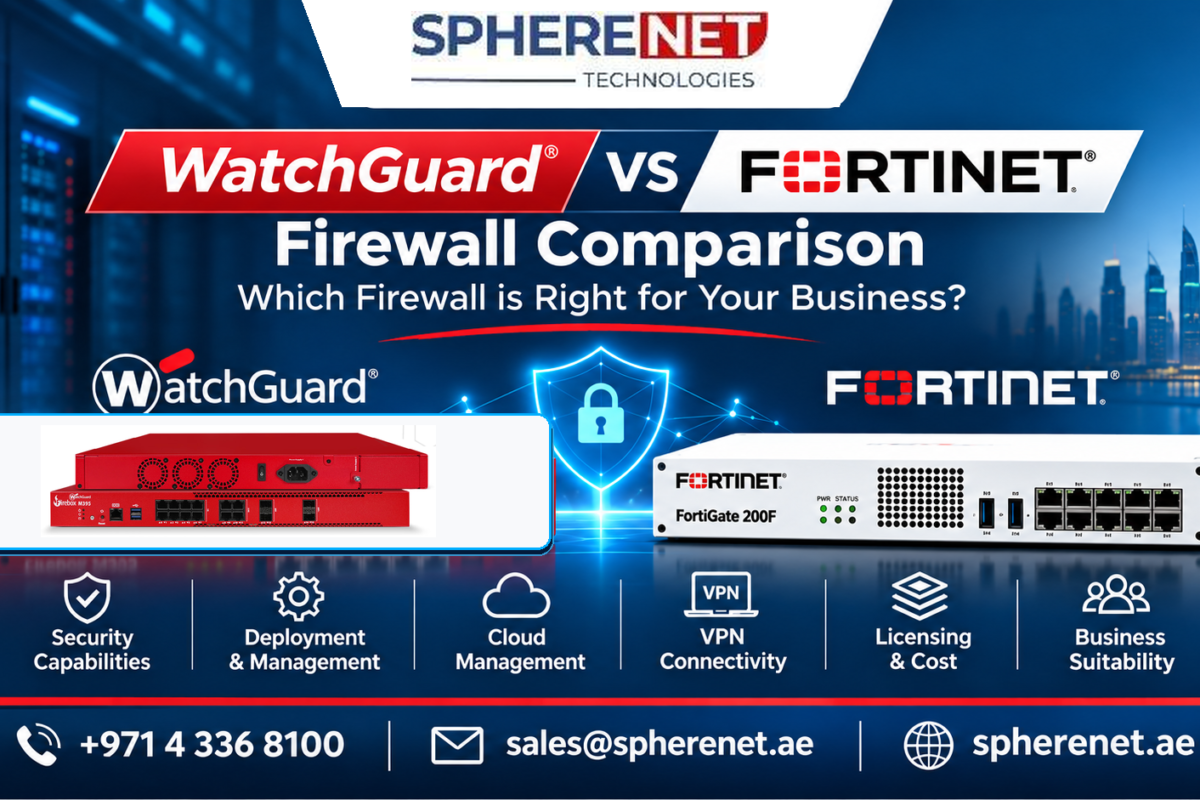
WatchGuard vs Fortinet firewall comparison for business security

WatchGuard vs Fortinet: Which Firewall is Right for Your Business?

Introduction

When comparing WatchGuard vs Fortinet, businesses should consider their security requirements, network environment and long-term operational needs. Modern businesses need reliable protection against ransomware, malware, phishing, unauthorized access and other evolving cyber threats.

Two established names in network security are WatchGuard and Fortinet. Both offer next-generation firewall solutions designed to protect business networks, users, applications and data.

But which solution is right for your organization?

In this comparison, we examine WatchGuard and Fortinet across key areas, including security capabilities, deployment, management, VPN connectivity, licensing and suitability for different business environments.

Understanding Next-Generation Firewalls (NGFW)

A Next-Generation Firewall provides more than traditional network traffic filtering. Depending on the appliance and subscription, NGFW capabilities can include:

  • Intrusion Prevention System (IPS)
  • Application Control
  • Web and URL Filtering
  • Malware and Antivirus Protection
  • Advanced Threat Detection
  • SSL/TLS Inspection
  • Site-to-Site and Remote Access VPN
  • Security Monitoring and Reporting

Both WatchGuard and Fortinet provide these capabilities, although the available features, licensing requirements and implementation methods differ.

WatchGuard vs Fortinet: Feature Comparison

Comparison AreaWatchGuardFortinet
Firewall PlatformFireboxFortiGate
Core SecurityNGFW security servicesFortiGuard security services
Centralized ManagementWatchGuard CloudFortiGate Cloud and FortiManager
Analytics and ReportingWatchGuard CloudFortiAnalyzer
VPN ConnectivityIPsec and remote access optionsIPsec and remote access options
Security EcosystemNetwork and endpoint security integrationsBroad Fortinet Security Fabric
Multi-Site ManagementCentralized cloud managementCentralized management options
DeploymentAppliance and virtual optionsAppliance, virtual and cloud options
LicensingSubscription bundles and support optionsSecurity bundles and individual service entitlements
Best-Fit EnvironmentSMBs, distributed businesses and MSPsSMBs through large enterprise environments

Actual capabilities depend on the selected model, firmware version, subscription and deployment design.

1. Ease of Deployment and Management

WatchGuard Firebox appliances provide firewall configuration and security management through Fireware and WatchGuard Cloud. Organizations can choose cloud-managed deployment or local management with cloud visibility and reporting.

Fortinet FortiGate appliances use FortiOS and provide extensive configuration options. Fortinet also offers centralized administration through FortiManager, particularly useful in larger and more complex environments.

What should businesses consider?

  • WatchGuard can be attractive to teams looking for a straightforward firewall administration experience.
  • Fortinet provides extensive configuration flexibility and integration options.
  • Both platforms require appropriate technical knowledge for advanced deployments.

The better choice depends on the organization’s IT skills, network complexity and operational requirements.

2. Security Protection and Threat Prevention

Both vendors provide layered security services designed to detect and prevent network threats.

WatchGuard Security

Depending on the Firebox model and subscription, available services can include:

  • Gateway AntiVirus
  • Intrusion Prevention Service (IPS)
  • Application Control
  • WebBlocker
  • APT Blocker
  • DNSWatch
  • IntelligentAV
  • Reputation Enabled Defense
  • ThreatSync integrations

Fortinet Security

Depending on the FortiGate model and subscription, available services can include:

  • FortiGuard Antivirus
  • Intrusion Prevention
  • Web Filtering
  • Application Control
  • DNS Filtering
  • Anti-Botnet Protection
  • Advanced Threat Protection
  • FortiSandbox integration

Both vendors offer comprehensive security capabilities. Organizations should compare the actual security services included in the proposed subscriptions rather than relying on product names alone.

3. Cloud Management and Centralized Visibility

Centralized management is particularly important for businesses operating across multiple offices and locations.

WatchGuard Cloud

WatchGuard Cloud provides centralized visibility and management capabilities for supported Firebox deployments. Depending on the management mode and subscription, organizations can access device monitoring, configuration management, security reporting and multi-site administration.

Fortinet Management Solutions

Fortinet provides several management and analytics options:

  • FortiGate Cloud: Cloud-based management, monitoring and logging services.
  • FortiManager: Centralized configuration and administration of multiple FortiGate devices.
  • FortiAnalyzer: Log analysis, reporting, security event visibility and analytics.

The appropriate comparison depends on the scale of the deployment and the management capabilities required.

4. VPN and Secure Connectivity

Secure connectivity between offices, remote employees and cloud environments is an important firewall requirement.

Both WatchGuard and Fortinet support VPN technologies, including:

  • IPsec Site-to-Site VPN
  • Remote Access VPN
  • Multi-Site VPN Connectivity
  • Authentication and access-control integrations

WatchGuard’s Branch Office VPN (BOVPN) is commonly used to connect branch offices securely to a central headquarters.

Fortinet also provides extensive IPsec VPN capabilities and integration with its wider security ecosystem.

The right solution depends on the number of sites, bandwidth requirements, routing design, authentication requirements and remote-access needs.

5. Licensing, Subscription and Total Cost of Ownership

Firewall pricing should not be evaluated on appliance cost alone.

A proper comparison should consider:

  • Initial hardware investment
  • Security subscription costs
  • Support and warranty coverage
  • Renewal pricing
  • Centralized management requirements
  • Additional reporting or analytics licensing
  • Deployment and ongoing administration costs

WatchGuard offers bundled security subscriptions, with available services depending on the Firebox model and selected package.

Fortinet provides FortiGuard security bundles and additional service entitlements, depending on the product and deployment.

Neither platform is automatically less expensive in every scenario. Requesting comparable quotations for the same security requirements and contract duration is the most reliable way to assess total cost of ownership.

6. Which Firewall Is Best for Your Business?

WatchGuard May Be a Good Fit For:

  • Small and medium-sized businesses
  • Organizations with multiple branch offices
  • Businesses seeking centralized firewall visibility
  • Companies looking for straightforward security administration
  • Managed Service Providers (MSPs)
  • Organizations already using WatchGuard security solutions

Fortinet May Be a Good Fit For:

  • Large enterprises
  • Complex network environments
  • Organizations requiring extensive Security Fabric integration
  • Data centers and distributed infrastructure
  • Businesses with dedicated network security teams
  • Organizations already invested in Fortinet technologies

These are general deployment considerations, not strict product limitations. Both vendors serve a wide range of business environments.

7. Why Work With an Experienced Firewall Partner?

Selecting a firewall requires more than comparing product specifications.

A suitable solution should account for network architecture, security policies, internet connectivity, VPN requirements, user access, redundancy, reporting and future expansion.

An experienced IT security partner can help organizations:

  • Assess existing network security requirements.
  • Select the appropriate firewall model and subscription.
  • Design secure multi-branch VPN connectivity.
  • Implement firewall policies and security services.
  • Configure centralized monitoring and reporting.
  • Plan renewals and ongoing support.

Final Verdict: WatchGuard or Fortinet?

Both WatchGuard and Fortinet are established cybersecurity vendors with capable next-generation firewall platforms.

WatchGuard is worth considering when straightforward administration, centralized visibility and practical security management are important priorities.

Fortinet is worth considering when extensive configuration flexibility, broad security ecosystem integration and complex enterprise requirements are central to the project.

There is no universal winner. The right firewall is the one that meets your security requirements, technical capabilities, operational needs and budget.

Need Help Choosing the Right Firewall?

SphereNet Technologies helps organizations across the UAE, Middle East, Africa and Pakistan evaluate, deploy and manage cybersecurity solutions from leading technology vendors.

Our solutions portfolio includes WatchGuard, Fortinet, Bitdefender, Trend Micro, Sangfor and Barracuda.

Whether you are replacing an existing firewall, upgrading security subscriptions or planning a multi-site network deployment, our team can help you identify a suitable solution.

Contact SphereNet Technologies

Phone: +971 4 336 8100

Email: sales@spherenet.ae

Website: https://spherenet.ae/

IT Infrastructure and Cybersecurity Best Practices

10 Common IT Infrastructure and Cybersecurity Mistakes Businesses Should Avoid in 2026

Why IT Infrastructure and Cybersecurity Matter for Businesses

Common IT mistakes can expose businesses to cybersecurity threats, infrastructure failures, unexpected costs and operational disruptions.

Technology is central to modern business operations. From email and cloud applications to networks, servers and cybersecurity systems, businesses depend on reliable IT infrastructure to operate efficiently.

However, many organizations continue to make IT decisions that expose them to security risks, unexpected costs and operational disruptions.

Whether you manage a small business or a growing enterprise in the UAE, avoiding these ten common mistakes can help improve your IT environment and protect your business.

1. Ignoring Cybersecurity Risks

One of the biggest mistakes businesses make is treating cybersecurity as an optional expense rather than an essential business requirement.

Ransomware, phishing, malware and unauthorized access can disrupt operations and expose sensitive information.

What businesses should do:

  • Deploy properly configured next-generation firewalls.
  • Implement endpoint detection and protection.
  • Use multi-factor authentication.
  • Apply security updates regularly.
  • Conduct periodic security assessments.

2. Using Outdated Firewall and Network Security Systems

An outdated firewall or poorly configured network can leave an organization exposed to modern cyber threats.

Businesses should periodically review their firewall infrastructure, security subscriptions, firmware versions and access policies.

Modern firewall solutions from vendors such as WatchGuard, Fortinet and Sophos offer advanced security capabilities that can help organizations strengthen network protection.

3. Not Having a Reliable Backup and Recovery Strategy

Having backups does not automatically mean your business can recover from a disaster.

Backups may be incomplete, outdated, inaccessible or affected by ransomware.

Recommended practices:

  • Follow the 3-2-1 backup principle.
  • Maintain an isolated or immutable backup copy.
  • Encrypt backup data.
  • Test restoration procedures regularly.
  • Document recovery responsibilities and priorities.

A backup strategy should be tested, not simply assumed to be working.

4. Neglecting Software and Firmware Updates

Unpatched operating systems, applications, servers and network devices can contain vulnerabilities that attackers exploit.

Businesses should establish a structured patch management process, prioritize critical security updates and maintain an inventory of IT assets.

Updates should also be tested appropriately before deployment in critical production environments.

5. Using Weak Passwords and No Multi-Factor Authentication

Weak passwords and reused credentials remain common security weaknesses.

A compromised password can provide unauthorized access to email, cloud applications and business systems.

Use strong unique passwords, a business password manager and multi-factor authentication wherever supported. Apply additional access controls to privileged and administrative accounts.

6. Poor Network Segmentation and Access Control

Allowing every device and user to access the entire corporate network increases the potential impact of a security incident.

Separate critical systems, guest Wi-Fi, servers, employee devices and other network segments according to business requirements.

Follow the principle of least privilege so employees and applications receive only the access they actually need.

7. Relying on Email Security Without Additional Protection

Email remains a common entry point for phishing, business email compromise and malicious attachments.

A basic email filter alone may not provide sufficient protection.

Businesses should consider advanced email security, anti-phishing controls, attachment and URL inspection, SPF, DKIM and DMARC configuration, and employee awareness training.

8. Not Monitoring IT Infrastructure and Security Events

Without monitoring, businesses may remain unaware of suspicious activity, failing hardware, network problems or service interruptions.

Centralized monitoring, firewall logging, endpoint visibility and regular review of security alerts help IT teams identify issues earlier.

Monitoring should have clear ownership and an escalation process. Collecting logs without reviewing or acting on them provides limited protection.

9. Underestimating the Importance of IT Maintenance

Many businesses contact IT support only when something stops working.

This reactive approach can lead to extended downtime, recurring technical problems and unexpected expenses.

A structured IT maintenance plan or Annual Maintenance Contract (AMC) can help businesses maintain systems, review infrastructure, manage updates and plan technology improvements.

10. Not Having a Long-Term IT Strategy

Technology investments should support business objectives, not simply address immediate problems.

Purchasing hardware, software or cloud services without considering future requirements can create unnecessary costs and compatibility issues.

Businesses should periodically review:

  • IT infrastructure capacity and performance.
  • Cybersecurity requirements.
  • Cloud and hybrid infrastructure needs.
  • Licensing and subscription costs.
  • Business continuity and disaster recovery.
  • Future growth and scalability.

A practical IT roadmap helps align technology investments with business priorities.

How Can Businesses Improve Their IT Infrastructure?

Avoiding these mistakes requires a combination of appropriate technology, skilled professionals and regular reviews.

Businesses should begin with an assessment of their existing infrastructure, identify security and operational gaps, prioritize improvements and establish a realistic implementation plan.

Working with an experienced IT solutions provider can also help organizations select suitable technologies, improve security and manage their infrastructure more effectively.

Frequently Asked Questions

What are the most common IT problems businesses face?

Common problems include cybersecurity vulnerabilities, outdated infrastructure, unreliable backups, weak access controls, poor network management and inadequate IT maintenance.

Why is cybersecurity important for small and medium-sized businesses?

SMBs also handle valuable business information, customer data and financial records. A cyber incident can cause operational disruption, financial losses and reputational damage.

How often should businesses review their IT infrastructure?

A regular review should be part of IT operations. Many organizations benefit from quarterly reviews, with additional assessments after major infrastructure changes or security incidents.

What is an IT Annual Maintenance Contract?

An IT AMC is a service agreement that defines ongoing maintenance and support for an organization’s IT infrastructure. Its scope may include preventive maintenance, troubleshooting, updates, monitoring and technical support.

Should businesses outsource IT support?

Outsourcing can provide access to technical expertise and ongoing support without maintaining every specialist role internally. The right arrangement depends on the organization’s size, internal capabilities, security requirements and service expectations.

Strengthen Your Business IT Infrastructure with SphereNet Technologies

SphereNet Technologies Co. L.L.C. provides IT solutions and professional services to businesses in Dubai and across the UAE.

Our areas of expertise include cybersecurity solutions, firewall deployment and renewals, network infrastructure, cloud and hybrid infrastructure, managed IT services and professional IT consultancy.

If your organization is planning to improve its IT infrastructure or review its cybersecurity posture, our team can help you assess your requirements and identify practical solutions.

Contact SphereNet Technologies

Website: https://spherenet.ae/

Email: info@spherenet.ae

Telephone: +971 4 336 8100

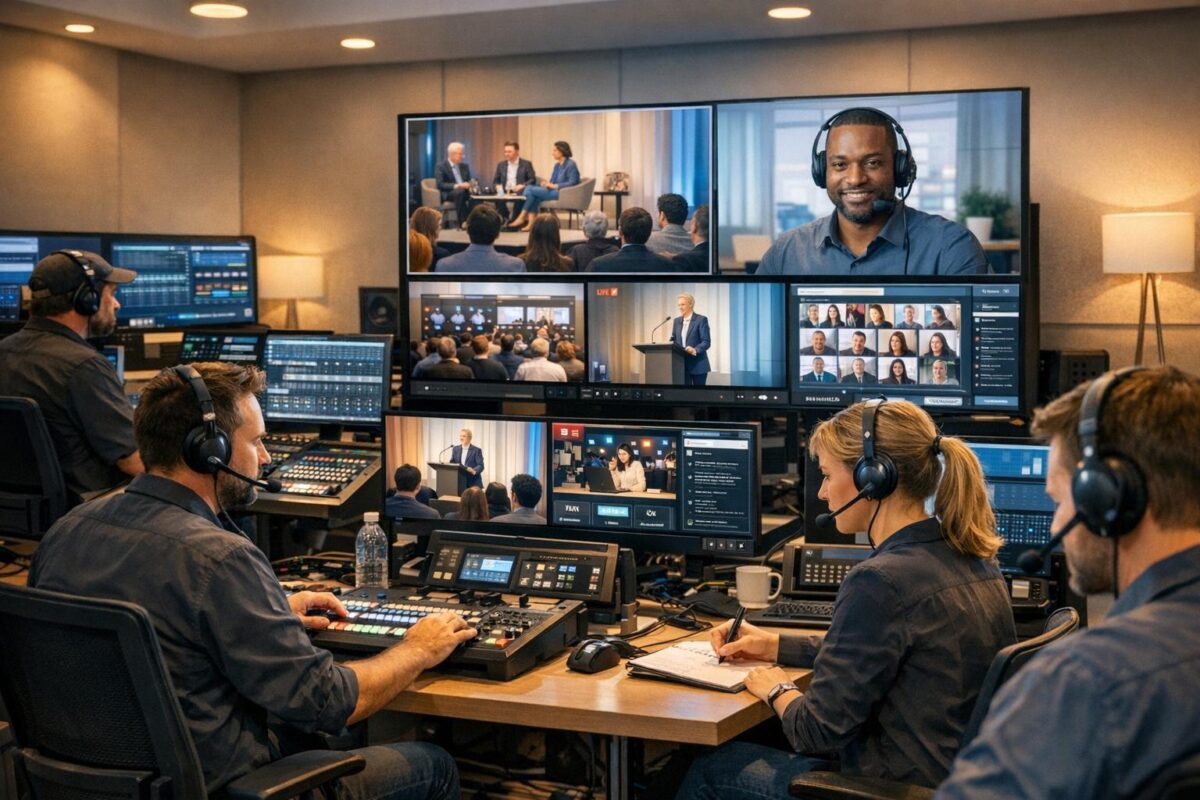
Business Live Streaming in 2027: Platforms, Network Requirements and Cybersecurity

Why Live Streaming Matters for Modern Businesses

Business live streaming has become an important communication tool for modern businesses. Organizations use live video to conduct webinars, deliver corporate presentations, host employee training sessions, communicate with customers and connect with teams across different locations.

As businesses increasingly depend on digital communication, reliable live streaming requires more than a camera and an internet connection. Organizations need suitable streaming platforms, reliable network infrastructure, sufficient bandwidth and appropriate cybersecurity controls.

In this guide, we explore the key technologies, platforms and security considerations businesses should understand when planning live streaming in 2027.

1. Choosing the Right Live Streaming Platform

The right platform depends on the purpose of the broadcast, audience size, interaction requirements and security needs.

Some commonly used business platforms include:

  • Microsoft Teams: Suitable for internal meetings, employee training, corporate presentations and online collaboration.
  • Zoom: Commonly used for webinars, virtual meetings, online presentations and business events.
  • YouTube Live: Useful for public broadcasts, product announcements, educational content and wider audience engagement.
  • LinkedIn Live: Suitable for professional discussions, industry updates, business announcements and thought leadership.

Before selecting a platform, businesses should evaluate audience capacity, registration options, recording capabilities, privacy controls, administration features and integration with existing business applications.

2. Ensuring Reliable Internet Connectivity

Network performance directly affects the quality of a live streaming experience.

Insufficient bandwidth, packet loss, high latency and unstable internet connections can result in buffering, interruptions and poor video quality.

Businesses should consider the following practices:

  • Use a reliable business-grade internet connection.
  • Reserve sufficient upload bandwidth for live video.
  • Prefer wired Ethernet connections for streaming production systems.
  • Monitor network utilization during important events.
  • Avoid unnecessary downloads and bandwidth-intensive activities during broadcasts.
  • Consider secondary internet connectivity for critical events.

For larger organizations, network monitoring can help identify congestion and connectivity problems before they affect the broadcast.

3. Preparing the Right IT Infrastructure

A professional business streaming environment may include cameras, microphones, encoding systems, computers, network switches, wireless access points and cloud-based streaming services.

The underlying IT infrastructure should support the expected number of participants, simultaneous users and video quality requirements.

Businesses should consider:

  • Adequate network switching capacity.
  • Reliable wired and wireless connectivity.
  • Appropriate firewall configuration.
  • Sufficient processing capacity for streaming systems.
  • Network segmentation for production equipment and guest users.
  • Quality of Service (QoS) policies where supported and appropriate.

A properly designed network helps reduce congestion and supports a more consistent streaming experience.

4. Protecting Live Streaming Sessions from Cybersecurity Threats

Security is particularly important when streaming confidential meetings, internal training sessions or business presentations.

Unprotected streaming sessions can expose organizations to unauthorized access, meeting disruption and information leakage.

Recommended security measures include:

  • Use password-protected meetings and restricted access links.
  • Enable waiting rooms or registration controls where supported.
  • Apply multi-factor authentication to administrator accounts.
  • Keep streaming applications and operating systems updated.
  • Review participant permissions before starting a broadcast.
  • Restrict recording and file-sharing permissions where necessary.
  • Avoid sharing confidential information through public broadcasts.

Businesses should also consider firewall protection, endpoint security, email security and secure network access policies as part of their wider cybersecurity strategy.

5. Testing Everything Before Going Live

Technical preparation helps prevent avoidable problems during important business events.

Before broadcasting, test the following:

  • Camera and microphone quality.
  • Internet upload speed and network stability.
  • Screen sharing and presentation equipment.
  • Streaming platform access and user permissions.
  • Backup connectivity and power arrangements.
  • Recording and playback functionality.
  • Audio and video synchronization.

A rehearsal is particularly important for large corporate events, customer-facing broadcasts and online training sessions.

6. Monitoring Performance During the Broadcast

Monitoring helps technical teams identify problems before they affect the audience.

Network monitoring tools, firewall logs and streaming platform analytics can provide useful information about connectivity, bandwidth consumption and streaming performance.

For important business events, assign a technical resource to monitor the infrastructure and respond to issues during the broadcast.

Organizations should also review performance after the event to identify recurring problems and improve future streaming sessions.

7. Planning for Business Continuity

An internet outage, hardware failure or unexpected application issue can interrupt a live event.

Businesses should prepare contingency arrangements, including:

  • Backup internet connectivity.
  • Alternative presenters or moderators.
  • Redundant equipment where justified.
  • Pre-recorded content for critical presentations.
  • A clear technical escalation process.
  • Communication arrangements for participants if the broadcast is interrupted.

A practical contingency plan can reduce disruption and help maintain a professional experience.

8. Supporting Remote Teams and Distributed Businesses

Organizations with employees, customers and partners across different locations need reliable digital communication.

Live streaming and video collaboration can support remote training, internal announcements, customer demonstrations and company-wide meetings.

However, organizations should consider internet availability, regional connectivity, security requirements and user experience across different locations.

A well-managed network and consistent security policies help support collaboration without unnecessarily exposing business systems.

9. Reviewing Privacy and Recording Requirements

Business broadcasts may contain employee information, customer discussions, presentations or other sensitive material.

Organizations should establish clear policies covering:

  • Who can access live sessions.
  • Whether participants can record or share broadcasts.
  • Where recordings are stored.
  • Who can access recorded material.
  • How long recordings are retained.
  • How participants are informed about recording.

Businesses operating in the UAE should also consider applicable privacy and data protection requirements when handling personal or confidential information.

10. Building a Reliable and Secure Streaming Environment

Successful business streaming depends on several interconnected components: internet connectivity, network infrastructure, suitable applications, cybersecurity and ongoing monitoring.

Rather than treating streaming as an isolated application, organizations should consider it as part of their overall IT infrastructure and business continuity planning.

Regular testing, security reviews and infrastructure monitoring can help businesses maintain reliable communication as their requirements grow.

How SphereNet Technologies Can Help

SphereNet Technologies Co. L.L.C. provides IT infrastructure, cybersecurity and professional IT services to businesses in Dubai and across the UAE.

Our capabilities include:

  • Network Infrastructure: Network design, switching, routing and secure Wi-Fi solutions.
  • Cybersecurity Solutions: Firewall deployment, network security and endpoint protection.
  • Cloud and Hybrid Infrastructure: Infrastructure planning, implementation and support.
  • Server and Storage Solutions: Business infrastructure deployment and technical support.
  • Managed IT Services: Ongoing IT infrastructure monitoring and support.
  • IT Consulting: Professional guidance to help businesses plan and improve their IT environments.

We help organizations build reliable, secure and scalable IT environments that support their business operations and digital communication requirements.

Planning a business streaming environment or upgrading your network infrastructure?

Contact SphereNet Technologies to discuss your IT requirements.

Website: https://spherenet.ae/

Email: info@spherenet.ae

Telephone: +971 4 336 8100

Frequently Asked Questions

What is business live streaming?

Business live streaming is the delivery of real-time video over the internet for activities such as corporate meetings, webinars, employee training, product demonstrations and customer presentations.

Which live streaming platforms are suitable for businesses?

Microsoft Teams, Zoom, YouTube Live and LinkedIn Live are commonly used platforms. The best option depends on audience size, privacy requirements, interaction features and the purpose of the broadcast.

How much internet bandwidth does business live streaming require?

Bandwidth requirements depend on video resolution, the streaming platform, the number of simultaneous streams and other network activity. Businesses should check the platform’s current recommendations and test their connection before important events.

How can businesses secure live streaming sessions?

Businesses can use restricted access links, meeting passwords, waiting rooms, multi-factor authentication, updated applications and appropriate recording permissions to reduce security risks.

Why is network infrastructure important for live streaming?

Reliable network infrastructure helps maintain connectivity, reduce congestion and support consistent video and audio quality. Network monitoring, adequate bandwidth and suitable firewall configuration are also important.

Can SphereNet Technologies help improve business network infrastructure?

Yes. SphereNet Technologies provides network infrastructure, firewall and cybersecurity solutions, cloud and hybrid infrastructure, managed IT services and professional IT consulting for businesses in Dubai and across the UAE.